Whole gig in.
Edited songs out.
I'm Aaron. I play five gigs a week, often more, and I film most of them. Filming was never the problem — the four hours of editing after every gig was. So I built LiftShot. It's a Mac app: you drop the whole night's footage and the desk recording in, go to bed, and wake up to a finished video of every song. Cut on the beat, cameras matched, colour graded off your own frames, audio that sounds like the room on a good night. It edits while you sleep.
Nearly open
Get the app the day it opens
LiftShot is built. I'm getting it ready to hand out. Leave your email and you'll get it the day it opens — with the founding price locked in.
Your whole job
The night, in three steps.
Set up
Point whatever cameras you've got at the stage — phones count — and press record on the desk. That clean recording is the spine of everything.
Play the gig
That's it. No operating anything mid-song, no checking angles. Do your job and forget the cameras exist.
Drop the lot in
Back home, drag the night's footage and the desk recording into LiftShot. Overnight, every song comes out cut, matched, graded and finished.
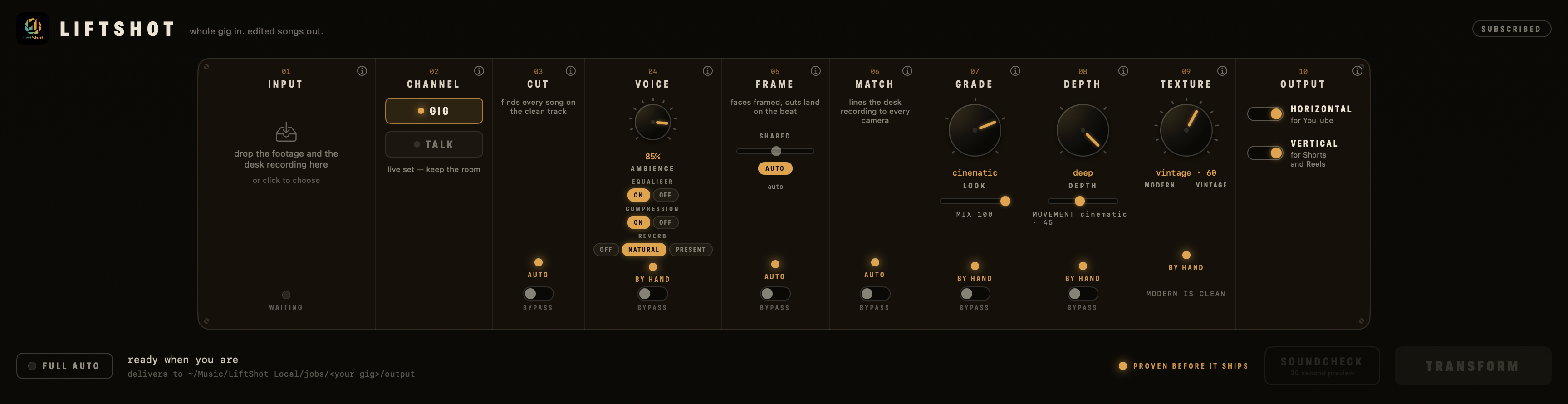
The stages on the faceplate
What it actually does.
Finds every song
It reads the clean desk recording and finds where every song starts and ends — including the one you forgot you played.
Cuts land on the beat
Camera changes happen on the beat, not near it. The edit moves the way the song moves.
Faces framed, mic on the centre line
Every shot is reframed around the performer — face in frame, mic on the centre line, the way you'd frame it by hand.
Graded like a colourist, not filtered
It reads the picture — brightness, contrast, colour, skin, noise, clipping — and grades it off what it measured. Footage that already looks finished is passed through untouched. Your face is measured off the actual frame, and the skin outranks the look: the pop lives in the room, not on you.
Cameras matched to the main
A phone at the back and a proper camera at the front stop looking like two different nights. The main camera is the reference and never moves — the others are brought to it.
A spotlight lands on you
A soft lift on the centre, edges eased back — it reads as stage lighting, not an effect. On automatic it won't blow out a bright room: it only uses the headroom the footage has. The dial under it doses movement: a slow zoom drift and a whisper of pan, so a locked-off phone stops looking locked off.
Modern, or all the way to vintage
One knob. Clean and pristine at the bottom, fine moving film grain through the middle, and a real vintage wash at the top — milky blacks, soft top end, colour pulled back. Grain and fade only. Never dust, scratches or a vignette.
The room stays in the sound
The desk feed carries the voice; the audience bed keeps the room. Levelled and finished, but it still sounds like a gig, not a studio.
Talking videos prove themselves
In talking-video mode every splice is machine-checked against the waveform before a file is delivered. If a cut would clip a word, the edit re-makes itself with that pause left uncut.
Every song comes out twice — horizontal for YouTube and vertical for Shorts and Reels. There's a talking-video mode for spoken pieces, too.
One night, one moment
Five looks.
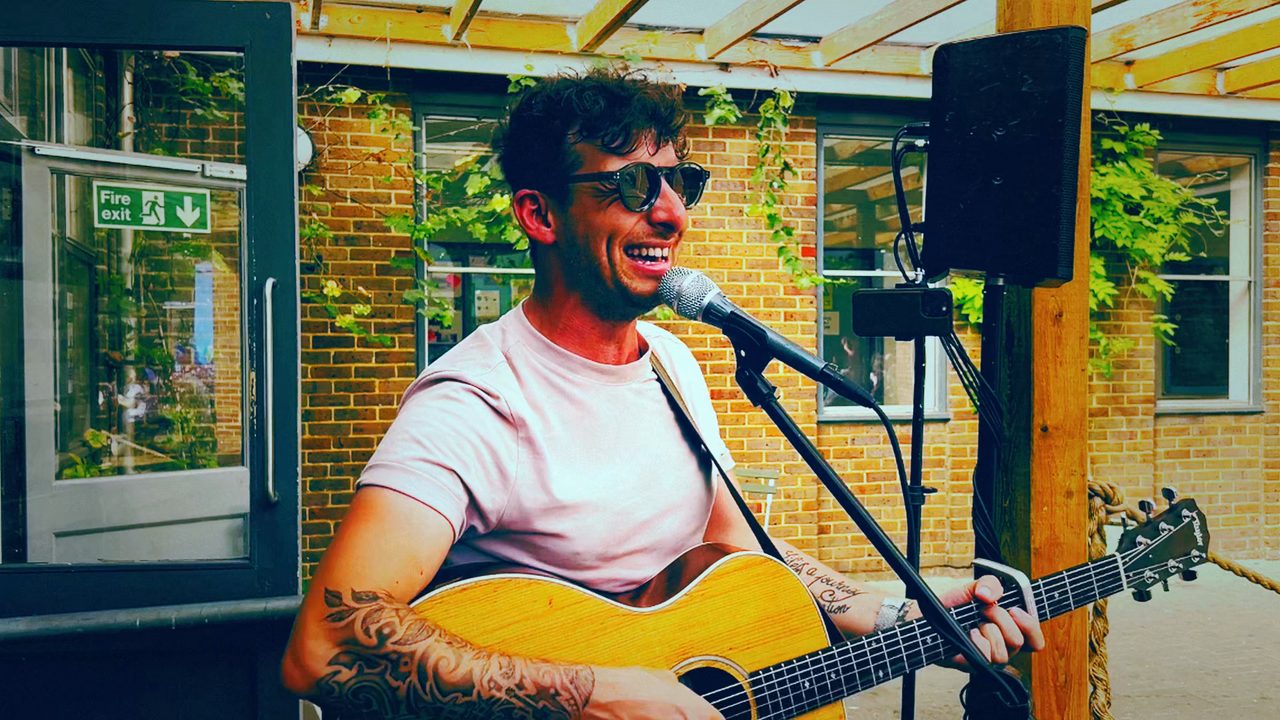
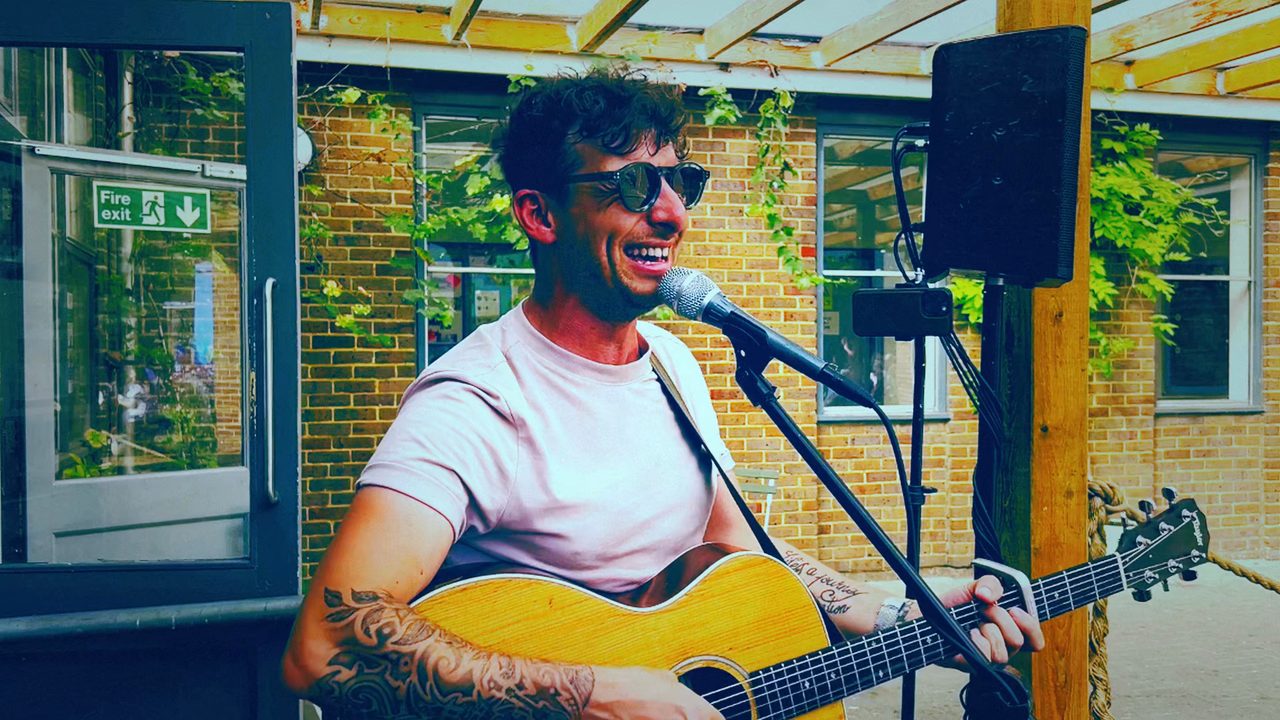
One frame of one of my gigs, rendered five ways. No LUTs. No filter packs. Nothing gets dropped on your footage sight-unseen — it measures your frames first and grades what it measured, so the same look lands differently on a sunny garden gig and a dark pub. The look amplifies the night you actually played instead of painting over it.
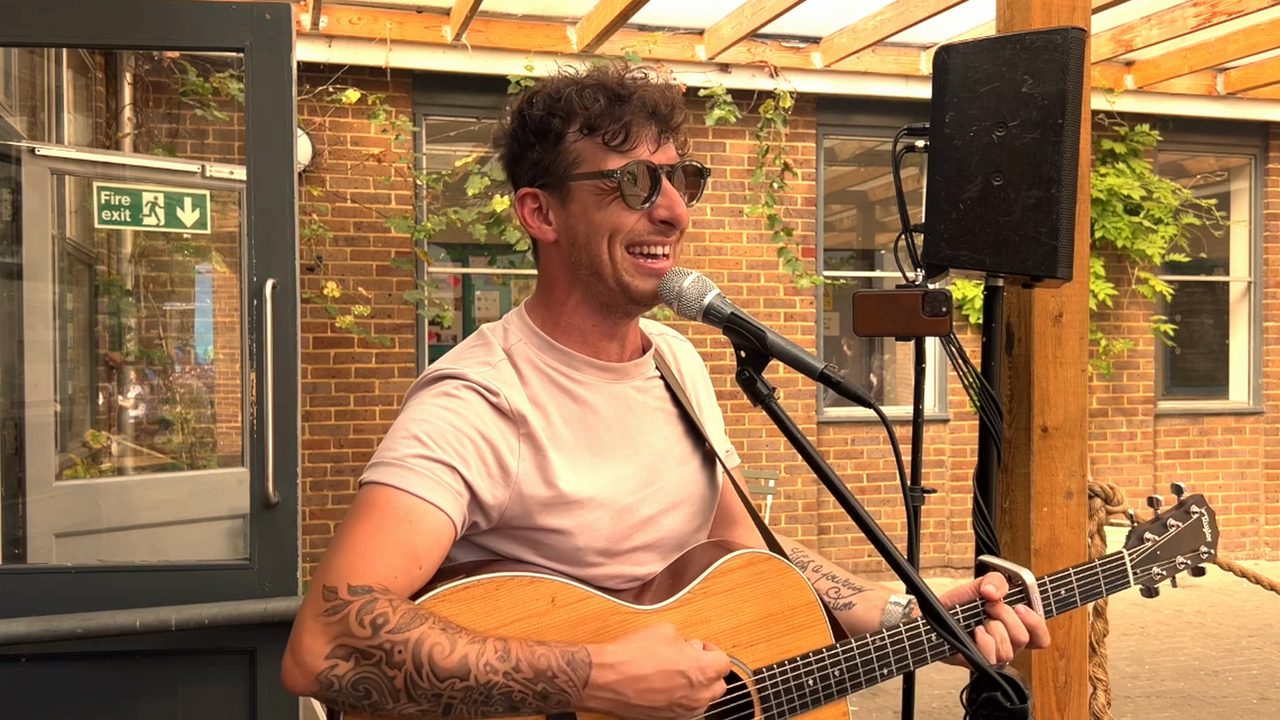
Grade off. No colour touched — what the camera saw is the colour that ships. The framing, grain and depth are still yours to set. It's the documentary option, and it's how you check what the grade actually changed.
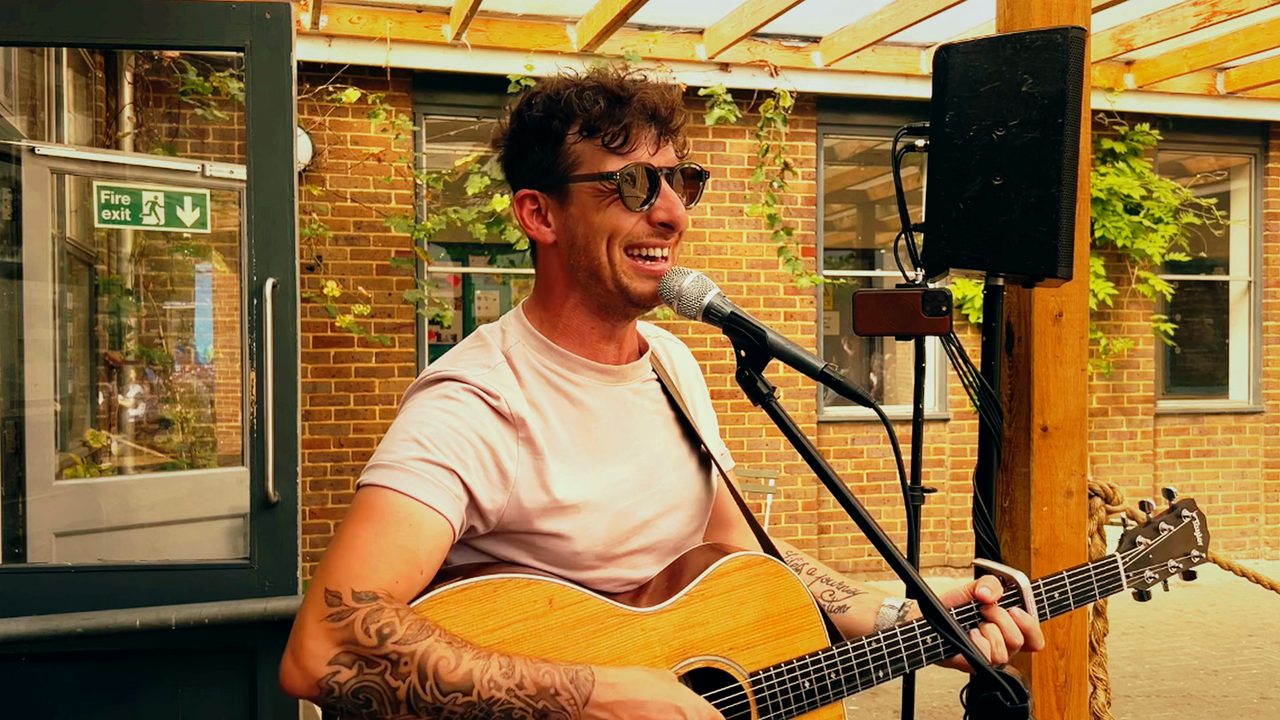
The measured grade. It reads exposure, contrast, colour, skin, noise and clipping off your own frames and fixes what's wrong — highlights protected, contrast opened up. When it decides the footage needs it, a measured dose of the cinematic character rides on top so the shot pops. If the footage already measures as finished, it says so and passes it through untouched. This is where the knob rests.
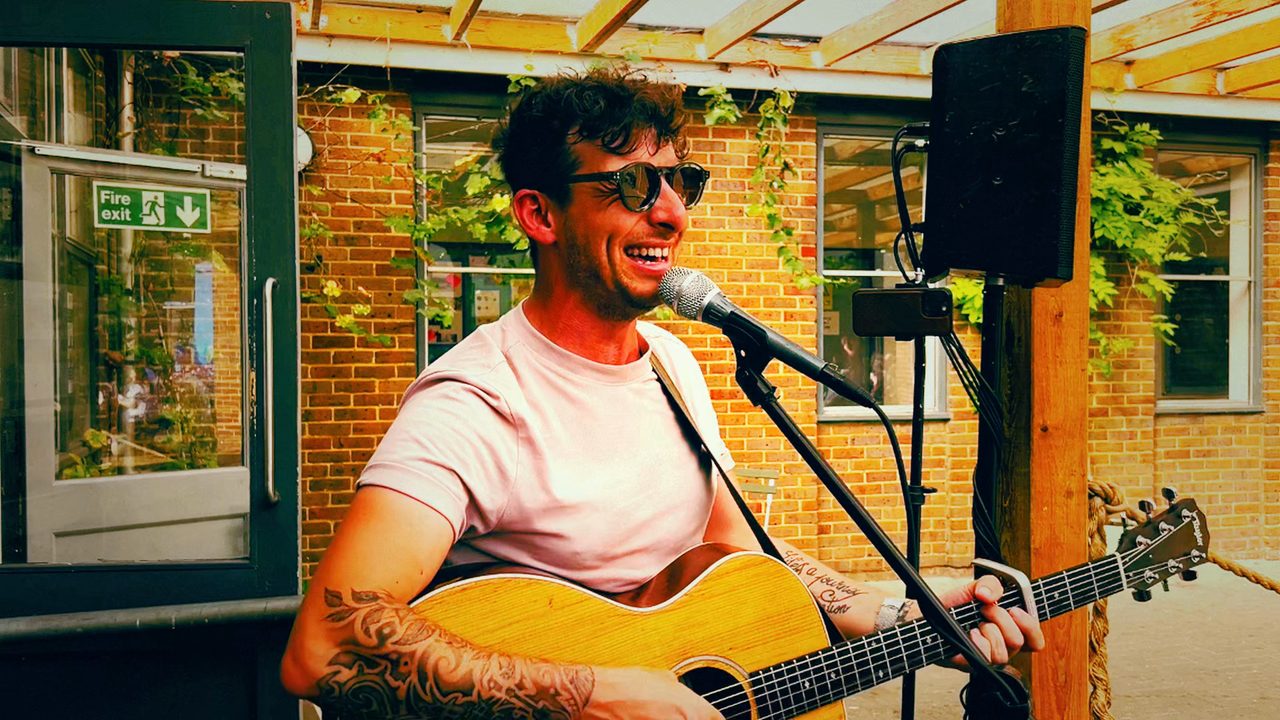
Cinematic leaning orange. Same build as cinematic — teal in the shadows, rich blacks — with the whole scene leaned warmer. Golden hour, pub lamps, candlelight, a summer evening.
The spine — the one the other two lean off. Teal shadows against warm highlights over rich blacks, contrast pushed where skin lives, both ends rolled off instead of clipped. The one to reach for when someone says make it look like a film.
Cinematic leaning blue. Deep saturated teal fills the shadows and warm skin punches out of it — vibrant, not cold. Blue stage wash, night rooms, moody sets.
Drag across to compare →
Same gig, same second, same crop — the looks colour the shot, they never reframe it. The raw still here is a plain control: I turned the grain and the spotlight down for it as well, so some of that flatness is those, not just the grade being off — a normal raw render still carries both. The four graded frames are identical apart from the look, though clean runs a lighter grain than the three styles.
Full strength is too much on purpose
The dial sets how hard the look lands. Full is deliberately more than anyone would ship — you're meant to look at it and say that's over the top, then back it off. Most people land around half. Past about eighty-five it stops guarding the highlights and lets a bright window bloom out, because that's what you asked for. On raw and clean there's nothing to dose, so it sits dim.
Clean, through grain, to a proper wash
The bottom of the knob is fine moving film grain and nothing else — it never freezes into a pattern. Past the middle the film character itself comes in and grows: milky lifted blacks, a soft rolled top end, colour pulled back, a warm lean. At the top it's genuinely washed out, because if you ask for a hundred you should see a hundred. Grain and fade. Never dust, scratches, hairs or a vignette.
Stage lighting, not an effect
A soft spotlight that draws the eye to you: the centre lifted, the edges darkened and eased back. It doesn't need to track you — every shot is already framed with the mic on the centre line. On automatic it's measured: flat even light gets a strong one, a room that already falls off at the edges gets a light one, and a bright room only gets the lift the footage has headroom for.
Nothing sits still
The dial under depth doses the life in every shot — a slow cinematic zoom drift and a whisper of pan. Locked still is a tripod. Automatic is the house touch. Full is a bold, slow push, never seasick. It applies to every shot, so footage off a phone on a stand stops looking like footage off a phone on a stand.
Real gigs, not stock footage
Before and after.
Four of my own gigs. Left is what came off the camera; right is what LiftShot's engine made of it. These are single-camera edits — the desktop app runs the same engine across the whole night and every camera you point at it.
1 · Dream Lover · wedding, one phone at the back
2 · Follow Me · garden gig, afternoon light
3 · Use Somebody · pub gig, rough light
4 · Beyond the Sea · vertical, for Shorts and Reels
Clips start muted — unmute one to hear the audio
Free download
The filming cheat-sheet
Two pages — where to put the cameras, how to light yourself, what to record. The setup that makes the footage worth editing. Free, no sign-up.
Download the PDFFounding price
One price. Every gig.
An editor charges £100 or more per video. LiftShot replaces the editor, the editing software and the audio software — and it does the whole night, every night, without you there.
Liftshot
£19.99/month
- Unlimited renders on your Mac
- Every song, horizontal and vertical
- Cancel anytime
Mac only. Apple Silicon — an M1 or newer — on macOS 14 or later. Not sure? Apple menu → About This Mac: if it says M1, M2, M3 or M4 you’re fine. If it says Intel, LiftShot won’t run, and that isn’t something I can fix. There’s no Windows version.
This is the founding price. It goes up once LiftShot has proven itself out in the world — founding subscribers keep their price for as long as they stay subscribed.
No account needed — you sign into the app with the email you pay with.
The free trial renders soundchecks — thirty-second previews, full quality, from your own footage. The full night needs a subscription.
Server rendering for slower Macs is coming as simple top-ups.
Questions
Where does my footage go?+
Nowhere. LiftShot runs on your Mac and renders on your Mac — your footage never leaves it. Server rendering will exist later as an optional top-up for slower machines, and it will always be your choice, per job.
What does the free trial actually do?+
It renders soundchecks: thirty-second previews at full quality, from your own footage. You see and hear exactly what the full render will be — the cut, the grade, the audio. The full night needs a subscription.
What do I need to record?+
The footage — any cameras, phones included — and a clean recording of the night, usually straight off the desk. The clean track is how LiftShot finds every song and rebuilds the sound.
Is the grade a preset, a filter pack or AI?+
There isn't a LUT file or a filter pack in the app, and no model invents your colour. There's a face detector — it finds you in the frame — and then the numbers do the rest: it measures your own frames, exposure, contrast, colour, skin, noise, clipping, and grades from what it measured. Nothing guesses what your gig should look like, which is why the same look lands differently on a sunny garden gig and a dark pub. Raw is the proof: pick it and the colour comes out untouched.
How far should I push the mix dial?+
Less far than you think. Full strength is built to be more than anyone would ship — the idea is that you see it, decide it's over the top, and back it off until it's yours. Most people sit around half. Every look starts on clean — the measured grade, reading your own frames and fixing what's wrong — so you can also just leave it alone.
What happens if I'm offline?+
Nothing bad. The app checks your subscription when it can, not when it can't — no wifi at the venue changes nothing, and you're never locked out mid-gig.
What does "talking videos prove themselves" mean?+
It's the talking-video mode. Every splice in the edit is machine-checked against the waveform before a file is delivered, and if a cut would clip a word the edit re-makes itself with that pause left uncut, then checks again. It can't be switched off.
How does the founding price work?+
£19.99 a month, or £199 a year with two months free. The price rises once LiftShot has proven itself — but if you subscribe at the founding price, you keep it for as long as you stay subscribed. Cancel anytime.
Play the gig.
Post the gig.
Three gigs a week is about six hours of footage. LiftShot edits all of it, overnight, without you there. Get on the list and it's yours the day it opens.
AI Video — Latest
New tools, what's worth your time, and where short-form video's heading. Our take, with a link to the source.
Why we crop the vertical from the finished edit instead of re-framing it separately
Most auto-reframe tools treat the vertical as its own job: they re-detect the subject frame by frame, and on a gig video that means drifting onto a brick wall or locking onto a punter's face in the background. We do it the other way round — the vertical is a straight centre crop of the finished horizontal, so it inherits the same framing, cuts, colour and sound. One decision made once, rather than two edits that quietly disagree with each other.
From usOpenAI has switched Sora off — a reminder not to build your video habit on someone else's model
OpenAI confirmed the Sora app and site closed on 26 April 2026, with the API following in September. Tools will keep appearing and disappearing at this pace. Our take: your gig footage is the asset that lasts — keep filming, keep the edit simple, and let the tools come and go.
Auto-edit is the 2026 default — which is exactly why a polished multi-shot cut stands out
The short-form world has gone auto-edit: tools that find the highlights, add captions and reformat for every platform in minutes. It's made churning out clips easy — and that's the point: a genuinely well-cut, multi-angle performance video now stands out from the auto-slop. Effort on the edit is the differentiator again.
The AI video-editing tools, sorted: CapCut, Opus Clip and Descript each do a different job
A clear 2026 picture: CapCut styles short-form (templates, captions, auto-reframe for Reels and Shorts), Opus Clip pulls clips out of long videos, and Descript edits by editing the transcript. Handy to know the landscape — though none of them turn one fixed-camera performance into a proper multi-shot edit, which is the gap LiftShot fills.